Wednesday, April 20, 2016

How To: Sending Reports to file in ax 2012

X++ code for to convert report to Pdf file format & also saves in Destination Folder( Ax 2009)

static void PrinttoPDF(Args _args)
{
  PurchFormLetter purchFormLetterp;
  PrintJobSettings printJobSettings;
  VendInvoiceJour  vendInvoiceJour;
  PrintFormat PrintFormat;
  Args args = new Args();
  #File

    purchFormLetterp = PurchFormLetter::construct(DocumentStatus::Invoice,false);
    printJobSettings = new PrintJobSettings();
    printJobSettings.setTarget(PrintMedium::File);
   // printJobSettings.preferredTarget(PrintMedium::File);
    printJobSettings.format(PrintFormat);
    printJobSettings.fileName( @'c:\TEMP\myfile2.pdf');
    printJobSettings.warnIfFileExists(false);

    purchFormLetterp.updatePrinterSettingsFormLetter(printJobSettings.packPrintJobSettings());
 
    select vendInvoiceJour where vendInvoiceJour.Purchid == 'PO/15-16/00421';
   // vendInvoiceJour.printJournal(purchFormLetterp);
    args.record(vendInvoiceJour);
    args.caller(purchFormLetterp);

   new MenuFunction(menuitemoutputstr(Purchinvoicecopy), MenuItemType::Output).run(args);


}

Wednesday, April 13, 2016

X++ code for Lookup form using SysFieldGroupLookup class in ax 2012

As we all know that we have extensively used SysTableLookup in older versions of AX to get the custom lookups. This class is still available in AX 2012.
But, in AX 2012 a new class SysFieldGroupLookup has been introduced which will help to get the lookup from the field groups of the table. This is a very useful feature as most of the fields to be added to the lookup fields can be reduced and can be pulled from the Table >> field groups directly.
Let me explain with an example:
public void lookup()
{
    Query  query;
    QueryBuildDataSource qbds;
    Querybuildrange   qbr;
    SysTableLookup sysTableLookup;
    SysFieldGroupLookup  sysFieldGroupLookup;
   

    super();

    query = new Query();
    qbds  =query.addDataSource(tableNum(SalesLine));
    qbr = qbds.addRange(fieldNum(SalesLine,SalesId));
    qbr.value(SalesId.valueStr());

    sysFieldGroupLookup  =sysFieldGroupLookup::newParameters(tableNum(SalesLine),this);
    sysFieldGroupLookup.addLookupfield(fieldNum(SalesLine,ItemId));
    sysFieldGroupLookup.parmFieldGroupNameForLookup(literalStr(Autoreport));
  
    sysFieldGroupLookup.parmQuery(query);
    sysFieldGroupLookup.performFormLookup();


}


X++ code for Multiple Field Lookup to get all fields of a query in ax 2012

First create a table
Create a query with above table
Create  a Form using above Query as DataSource

Create a new String Edit field in Design and name it as Lookup ,its property should be auto declaration yes

public void init()
{
    SysLookupMultiSelectCtrl sysLookupMultiSelect;
    super();
    sysLookupMultiSelect = SysLookupMultiSelectCtrl::construct(element,Lookup,queryStr(parenchild));

}


Note: here parenchild is query name


Import Data from Excel Using(RunBase Class) Dialog (X++)

Tuesday, April 12, 2016

X++ Code to create Lookup for DialogField in ax 2012 r3

class Dialoglookup
{
    Dialog       dialog;
    DialogField  dlgworkerid,dlgpurchase,dlgdate;
}


Public dialog dialog()
{
    FormStringControl control,controlname;
    ;

    dialog = new Dialog();
    dlgworkerid = dialog.addField(extendedTypeStr(HcmPersonnelNumberId));
    dlgpurchase = dialog.addfield(extendedTypeStr(UserId));
    dlgpurchase.value(curUserId());
    control = dlgworkerid.control();
    dlgdate  = dialog.addField(extendedTypeStr(TransDate));
    //controlname =dlgpurchase.control();
    control.registerOverrideMethod(methodStr(FormStringControl,lookup),methodStr(Dialoglookup,Worker_LookUp),this);


    //controlname.registerOverrideMethod(methodStr(FormStringControl,lookup),methodStr(Dialoglookup,name_lookup),this);

  return dialog;
}


public void Worker_LookUp(FormStringControl _control)
{

    Query                 query;
    QueryBuildDataSource  qbds;
    SysTableLookup sysTableLookup;
    ;
    query = new Query();
    query.addDataSource(tableNum(HcmWorker));
    sysTableLookup = SysTableLookup::newParameters(tablenum(HcmWorker),_control);
    sysTableLookup.addLookupfield(fieldNum(HcmWorker,PersonnelNumber),true);
    sysTableLookup.addLookupMethod(tableMethodStr(HcmWorker,name));
    sysTableLookup.parmQuery();
    sysTableLookup.performFormLookup();

}


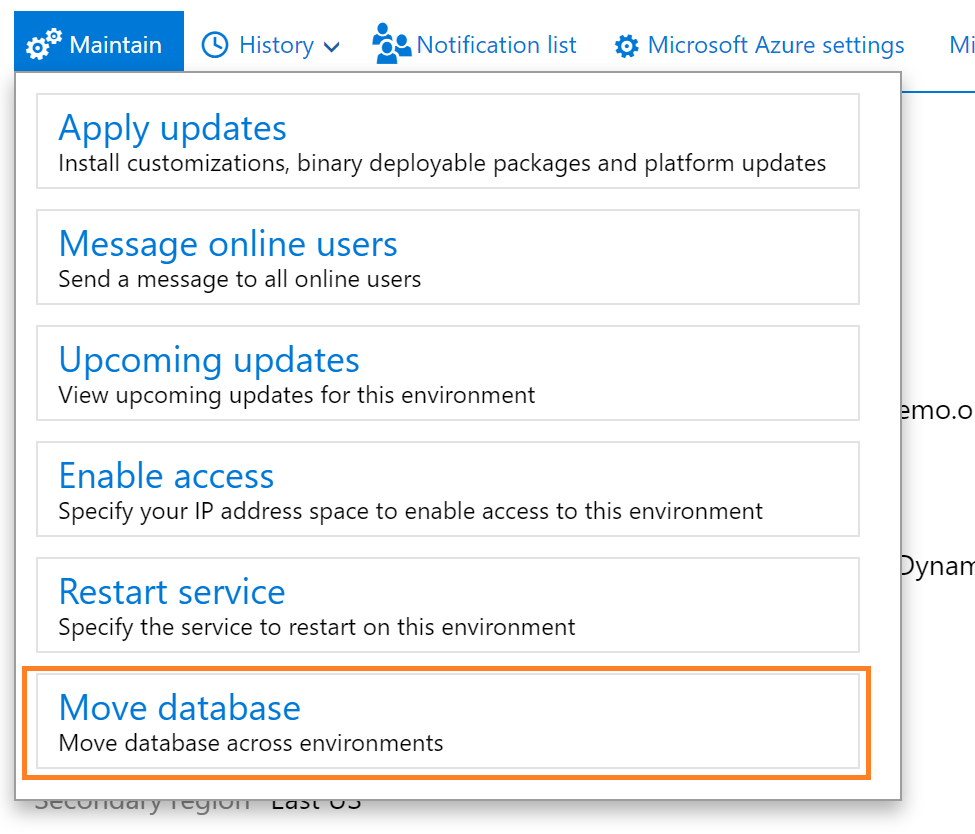
Export a copy of the standard user acceptance testing (UAT) database

 Reference link: Export a copy of the standard user acceptance testing (UAT) database - Finance & Operations | Dynamics 365 | Microsoft ...