Thursday, December 29, 2016

X++ code to validate Name using Regular Expression in AX 2012
public bool validateName(str _name)
{
System.Text.RegularExpressions.Match regExMatch;
bool isValid;
// other characters used in the regular expression are part of regex syntax.
regExMatch = System.Text.RegularExpressions.Regex::Match(_name, @’^[^<>:"/\\|?*]*$’);
// return true if name matches the criteria otherwise return false
isValid = regExMatch.get_Success();
return isValid;
}
X++ code to validate Mobile no. in Ax 2012
static void
MobilennoValidation(Args _args)
{
boolean ret;
#define.alphabets('ABCDEFGHIJKLMNOPQRSTUVWXYZ')
#define.numbers('0123456789')
int len;
str
subst,keepnum;
str Mobile;
Mobile = "9876543210";
len = strLen(Mobile);
subst= substr(Mobile,1,len);
keepnum=strkeep(substr(Mobile
, 1, len), #numbers);
if(len!=10)
{
checkFailed("@DMS1713");
}
else if((Mobile)&&(keepnum!=subst))
{
checkFailed("@DMS1678");
}
else
{
info("Mobile no, is validated successfully");
}
}
X++ code to cancel Sales order and Purchase orders in AX 2012
X++ Code to cancel Sales order
static void
DMSSOCancel(Args _args)
{
SalesTable salestable;
SalesUpdateRemain SalesUpdateRemain;
changeCompany('f898')
{
salestable = salestable::find("F898-000460");
SalesUpdateRemain::cancelRemainderOnOpenSalesLines(salestable);
}
}
X++ Code to cancel Purchase order
static void
DMSCancelPO(Args _args)
{
PurchFormLetter Purch;
PurchTable PurchTable;
PurchCancel PurchCancel ;
changeCompany("f898")
{
PurchTable =PurchTable::find("F898-000079");
PurchCancel = PurchCancel::construct();
PurchCancel .parmPurchTable(PurchTable);
PurchCancel .run();
}
}
Friday, November 18, 2016
Product name is missing while importing Produtcs and products masters through DIXF in AX 2012
Hi folks,
Hope u guys are doing well,
After long gap today im going to tell small trick i.e
Product name is missing while importing Produtcs and products masters through DIXF in AX 2012
Solution : just go to Systemparameters table and open it and check the systemlanguageid field data whether the imported Product and Product master Language id and systemlanguageid is same or not,if not please make sure it should be same .
Keep Daxing Guys !!!
Have a great weekend !!!
Hope u guys are doing well,
After long gap today im going to tell small trick i.e
Product name is missing while importing Produtcs and products masters through DIXF in AX 2012
Solution : just go to Systemparameters table and open it and check the systemlanguageid field data whether the imported Product and Product master Language id and systemlanguageid is same or not,if not please make sure it should be same .
Keep Daxing Guys !!!
Have a great weekend !!!
Thursday, October 6, 2016
Subscribe to:
Posts (Atom)
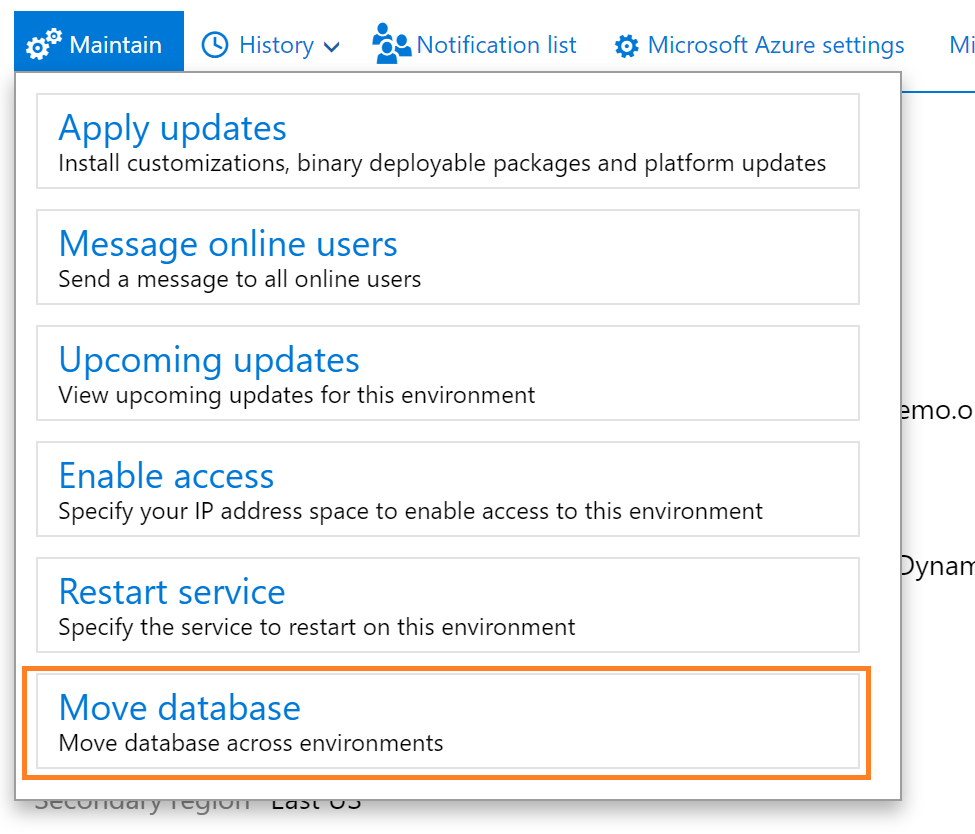
Export a copy of the standard user acceptance testing (UAT) database
Reference link: Export a copy of the standard user acceptance testing (UAT) database - Finance & Operations | Dynamics 365 | Microsoft ...
-
 static void CON_PeriodicJournal_Multiplelines(Args _args) { LedgerJournalTrans ledgerJournalTrans,LedgerJournaltrans1; ...
-
X++ Code to cancel Sales order static void DMSSOCancel(Args _args) { SalesTable salestable; ...
-
Hi Daxer's !!! I'm very glad to explore my knowledge on Microsoft Dynamics Ax . -- " Gaining knowledge is the first s...